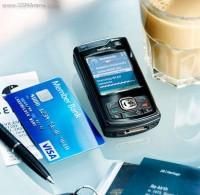
Nokia N80 nou de vanzare
Garantie 2 ani
A fost cumparat de la Flanco azi 26.02.2008
Rel la tel 0742916229/0724216841
Pret:1000 lei.
Are culoarea Pearl Black
28.02.2008
9.2KB
Ionita si Fetele - Luminita Puscas & Lorenna (EXclusiv 2011)
1. Ionica Ardelean - Am plecat copil de-acasa
2. Ionica - Are tata un baiat
3. Ionica - Azi ii nunta mea si-a ta
4. Ionica - De ce in ochii mei privesti
5. Ionica - Dragu-mi sa merg la nunta
6. Ionica - E greu un prieten sa-l pastrezi
7. Ionica - Haide-ti sus paharul
8. Ionica - Intr-o carciumioara
9. Ionica - Mama
10. Ionica - Omu bun si omul rau
11. Ionica ft. Aida - Lasa-ma nevasta
12. Ionica ft. Andrada - Am o mandra strengarita
13. Ionica ft. Elena - Am o nepoata frumoasa
14. Ionica ft. Ionela - Mandra mea frumoasa esti
15. Ionica ft. Lena - Am si eu o surioara
16. Ionica ft. Lena - I-os barbat adevarat
17. Ionica ft. Lorena - Spune mai badita
18. Ionica ft. Luminita - Bate Doamne lumea rea
(EXclusiv+2011).html
20.02.2011
64.4KB
Travian este un joc online bazat pe un browser web. Aici vei juca alaturi de mii de alti jucatori conducand, initial, un mic sat.
02.05.2008
22.4KB
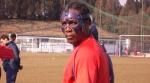
Atacantul împrumutat de Steaua de la Charleroi, Habib Habibou, şi-a pus astăzi masca de protecţie din carbon, pe care o va purta în următoarele 2-3 săptămîni.
Aceasta a fost confecţionată în România, la Ortopedica SA, de către profesorul Radu Mihnea şi are rolul de a-i proteja osul zigomatic drept. Habibou va purta masca în următoarele 2-3 saptamani, atat la antrenamente, cat si in meciurile oficiale, anunţă site-ul oficial al clubului.
22.02.2008
3.9KB
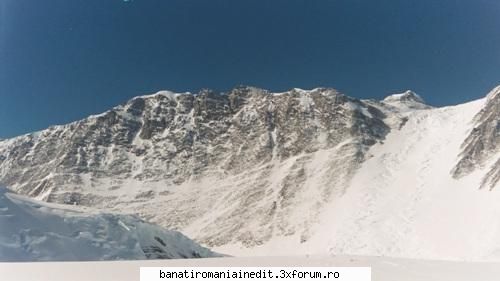
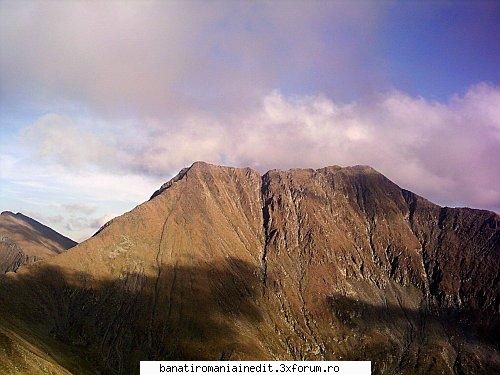
7. Antarctica - Vinson (I. Ross), 4807 m, escaladat prima data in anul 1966
29.02.2008
21.7KB
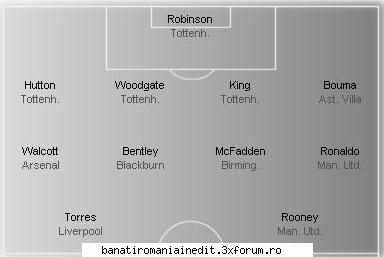
Arsenal nu a reusit decat o remiza in deplasarea de la Birmingham, 2-2, intr-un meci in care "tunarii" au fost urmariti de ghinion din primul pana in ultimul minut. Atacantul Eduardo da Silva si-a fracturat piciorul in debutul partidei, iar gazdele au egalat in ultimele secunde din lovitura de la 11 metri. Manchester United s-a impus categoric pe terenul lui Newcastle, scor 5-1.
25.02.2008
13.2KB
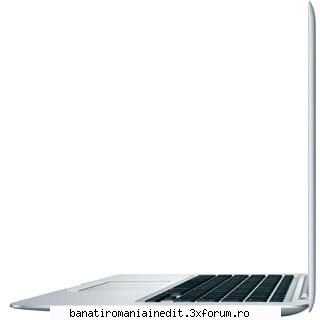
Tehnologie - La coadă pentru cel mai subţire laptop
04/03/2008
Cel mai subţire laptop din lume, MacBook Air, devine disponibil în această lună pe piaţa românească. Vestea mai puţin plăcută este aceea că sunt deja câteva sute de comenzi iar primele livrări vor fi în număr de…6 unităţi. Nu este doar o problemă pentru piaţa romănească, ci una de distribuţie globală, a declarat Cătălin Boaru, marcom manager IRIS, importator oficial Apple în România.
MacBook Air măsoară 4 mm în cel mai subțire punct, în timp ce inălțimea maximă este de 19,4 mm. Cântăreste 1.36Kg, are un ecran widescreen 13.3 inci, Bluetooth, un singur port USB [i un port micro-DVI. Preţul său este de 6835 lei pentru o configuraţie: procesor Intel Core 2 Duo la 1.6 GHz cu 4MB de memorie cache L2, 2GB RAM, un hard disc de 80GB. Dacă doriţi o unitate optică trebuie să scoateţI din buzunar 99 de euro pentru Air SuperDrive (DVD±R DL/DVD±RW/CD-RW), unitate externă concepută special. |ntr-o vreme de eco-IT, carcasa este de aluminiu, display-ul nu are mercur sau arsenic iar cablurile interne sunt fără PVC. Notebook-ul poate funcționa pe baterie până la cinci ore în regim wireless iar trackpad-ul “multi-touch” cu suport pentru gestică este “inspirat” din tehnologia touchscreen de la iPhone. Backup-ul se poate face wireless prin Time Capsule, dar acest dispozitiv costă 12 milioane lei (cu 500GB) sau 20 milioane lei (cu 1TB).
05.03.2008
7.3KB
Beeeei, hahalerelor, care va gasiti voi hahalere! Tolontane, deci iooooo, Gigi Voievod Antrenor si Razboinic Viteazul am elucubrat, sau elaborat cum s-o fi zicand, un program de antrenament naturisto-ecologic in concordanta cu noua orientare a partidului meeeeeu PNG Crestin, Democrat si Ecologist!
Dimineataaaaa: micul dejun de mare razboinic: oua cu cas si cate un kil de caviar! Asta ca sa aiba razboinicii meeeeei putere, ca dupaaa, ii scot la un scurt streching in curte, in Pipera: fiecare se intinde pe iarba la soare.
Dupa care o alergare scurta in jurul stanii meleee asa... pentru relaxare. Acum, daca vad ca vre-un Moreno d'asta, sau Dica ori Banel nu fuge de rupe pamantu', dau drumu' la caaainii de la stana, sa sa vezi atunci sprint! Asta diminteata.
Dupa masaaaaaa, alta sesiune de antrenament (noroc cu consilierii astia de imagine ca-mi mai dicteaza cuvine grele: "dimineata", "antrenament"), de data asta antrenament tehnico-tactic. aici il aduc secund... SECUND, m-ai inteles?... pe ala... cum ii zice... ala cu butoanele... ala care m-a invatat sa joc FIFA pe Playstation: MARIO BROTHERS! Sa vezi ce scheme tectice le desenez io pe jocu' asta pe televizor(Plasma, ma scuzati!)! Si daca in meciurile oficiale n-o sa joace razboinicii meeeeei ca acoloooo, uite-te la mine, Tolontane, pe toti ii trimit la echipa a doua, ma clonez iooooo si o sa fiu antrenor, jucator(pe toate posturile), politician si presedintele tarii! Si sa vedzi atunci, Tolontane, fotbal si butoane... si buntoane si fotbal...
Hahahahaha! Hai ca m-am jucat cu voi! V-am mai facut o aroganta! Hahahahaha!
25.02.2008
3.5KB
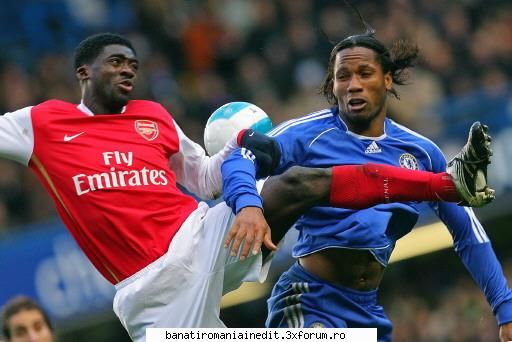
Fantastic meci pe Stamford Bridge. Arsenal a avut 1-0, Sagna deschizind scorul in minutul 58 cu o lovitura de cap la coltul scurt. In final insa, Drogba, extraordinar, a marcat de doua ori (72 si 81) si Chelsea a cistigat derbyul Londrei cu 2-1. Acum, albastrii au urcat pe locul 2, avind un punct in fata lui Arsenal. Totusi, Manchester a profitat de acest rezultat. Are cinci puncte avans in fruntea clasamentului din Premier League.
George Iacobescu, 62 de ani, este un nume foarte influent in Marea Britanie. Presedinte executiv al Canary Wharf, al doilea mare centru financiar european dupa celebrul City londonez, Iacobescu este romanul cel mai bine platit din lume la ora actuala. De exemplu, in 2006 el avea un salariu anual de 4,9 milioane de euro, adica 400.000 de euro lunar. Lucreaza la Londra, intr-un birou de la etajul 30 al unui zgarie-nori.
Traseul sau catre succes intr-un mediu in care a fi roman nu e o calitate este de-a dreptul subiect de roman. Dupa scoala generala facuta in Tunari, au urmat Liceul Dimitrie Cantemir si Facultatea de Constructii din Bucuresti. Primul serviciu a fost in 1969 la stat, ca proiectant de statii de pompare. Emigrarea n-a fost usoara.
'Grila sa de transfer', pentru care regimul comunist l-a vandut efectiv unui om de afaceri britanic in 1975, a fost de 5.000 $, bani stransi de fapt de o matusa fugita in Canada. Pe vremea aceea exista posibilitatea sa pleci din tara in schimbul unei sume importante.
Daily Telegraph scrie ca initial romanul a lucrat doi ani ca inginer la o firma din Montreal, unde s-a ocupat de restaurarea a doua blocuri care arsesera. Din ′75 pana la finalul lui 1976 a tot revenit in tara, suportand sicane din partea autoritatilor. Cu greu i s-a permis casatoria cu femeia vietii lui, Gabriela, licentiata a Universitatii Bucuresti, apoi si mai greu i-au lasat sotia sa plece in strainatate, fiind nevoit sa faca trei saptamani greva foamei in fata sediului ONU. In 1978, pe cand avea 33 ani, l-a intalnit la o receptie pe vicepresedintele celui mai mare dezvoltator imobiliar din America de Nord, Olympia & York, al carui asistent a devenit. Urmatorii cinci ani au fost plini de succese: a proiectat o fabrica mo-derna de granit la Toronto, Olympia Center si turnul de 64 de etaje Neiman Marcus la Chicago, proiecte importante la Dallas, Houston si Boston.
Cariera a urcat firesc, pe fondul unei munci colosale: in perioada 1983-1987 s-a mutat la New York pentru a finaliza World Financial Center. In 1988 a fost trimis la Londra pentru a superviza proiectul de reabilitare a fostei zone a docurilor, actualul Canary Wharf. Pentru ca munca de calitate i-a fost apreciata, din 1994 devine director executiv si membru in Consiliul de Administratie al Canary Wharf Holdings Ltd, doi ani mai tarziu ajunge vicepresedinte executiv, pentru ca din martie 1997 sa detina functia de director general. 'Traseul de 13 ani pare firesc, dar a fost impanat cu munca, frustrari si lacrimi. Si sansa, intrucat am avut mereu echipe bune', recunoaste Iacobescu.
George vine rar in tara si e prezent la aproape toate intalnirile la nivel inalt romano-britanice. Conduce o masina de lux, isi face vacantele in Italia si colectioneaza ceasuri si CD-uri cu jazz. N-a uitat de unde a plecat.
Pastreaza distinctiile tatalui, medic stralucit mort la 56 de ani, de la care a primit sfatul decisiv: 'Daca vrei sa o duci bine, nu te face doctor sau avocat, ca
n-ai viitor in tara. Lumea se construieste tot timpul si va fi nevoie de ingineri'.
Evolutia castigurilor anuale ale lui Iacobescu
2000: 2.754.000 euro
2001: 4.739.000 euro
2002:1.591.000 euro
2003: 1.591.000 euro
2005: 1.391.000 euro
2006: 4.900.000 euro
Canary Wharf: aici lucreaza campionul topului salariilor
Canary Wharf inseamna o lume mica, hiperbogata si selecta, creata chiar de George Iacobescu. E vorba de 24 de cladiri de birouri, cinci mall-uri, un hipermarket, doua centre de conferinte, teatre, multiplexuri si cluburi unde muncesc aproape 100.000 de oameni, intre care cateva zeci de romani.
25.02.2008
25.2KB
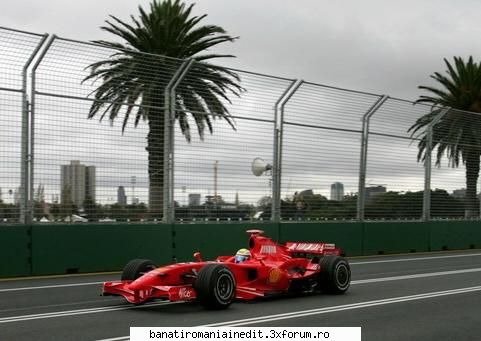
Kimi Raikkonen, pilotul finlandez de la Ferrari a reusit sa se impuna in cea de-a doua cursa asezonului, din Malayesia. El a fost secondat de polonezul de la BMW, Robert Kubica si de Heikki Kovalainen, de la McLaren.
S-a incheiat cursa
Ultimul tur de pista iar situatia se prezinta astfel: Raikkonen, Kubica, Kovalainen, Trulli, Hamilton, Heidfeld, Webber, Alonso, Coulthard, Button, Piquet, Fissichela, Barichello, Rosberg, Davidson, Sato, Nakajima
Turul 53 Hamilton s-aapropiat si el la doar 1.5 secunde de locul 4 al lui Trulli, dar va mai avea timp pentru a incerca o depasire?
Turul 49 Dublul campion mondial Fernando Alonso s-a apropiat la doar o secunda de Weber si este gata sa lupte pentru pozitia a 7-a
Turul 47 Barichello este penalizat cu o trecere pe la standuri pentru ca a depasit viteza pe linia boxelor
Turul 45 Si Kovalainen opreste pentru a doua oara. El revine pe 3 in timp ce coechipierul sau, Hamilton este al 5-lea
Turul 44 Hamilton intra la standuri cand se afla pe pozitia a 4-a
Turul 42 Mai trebuie sa intre la pit-stopuri doar Kubica, Kovalainen, Hamilton, Coulthard si Button
Turul 41 Vetel este nevoit sa se retraga dupa ce motorul masinii sale a luat foc
Turul 40 Cand mai sunt doar 16 tururi pana la final, Kubica devine lider, nu a inrat insala boxe pentru a doua oprire
Turul 38 Finlandezul intra la standurile echipei sale. 20 de secunde il separau de Kubica.
Turul 37 Un nou tur rapid din partea lui Raikkonen.
Iata clasarea dupa 35 de tururi: Raikkonen, Kubica, Kovalainen, Trulli, Webber, Hamilton, Heidfeld, Alonso, Coulthard, Button, Piquet, Vettel, Barichello, Fissichela, Nakajima, Davidson, Sato, Rosberg
Turul 30 Massa ramane fara una din roti si nu mai poate continua. Cursa a luat sfarsit pentru brazilianul de la Ferrari
Turul 28 Nicio depasire in aceste momente, cursa este departe de a fi la fel de spectaculoasa ca cea din Australia
Turul 25 Toti pilotii au intrat la standuri. Hamilton a fost cel mai dezavantajat, el ocupand pozitia a 7-a acum
Turul 21 Kovalainen intra la boxe si revine pe pozitia a 6-a
Dupa 20 de tururi, pilotii care vor intra in puncte sunt Kubica, Kovalainen, Raikkonen, Massa, Alonso, Coulthard, Button, Trulli. Hamilton este abia al 11-lea
Turul 19 Hamilton trece pe la standurile echipei sale. O problema il face sa stea 20 de secunde
Turul 18. Massa reintra in pista pe pozitia a 5-a. Raikkonen intra si el la boxe. O sedere scurta, care il aduce inaintea lui Massa
Turul 17 Pilotii au inceput sa intre la boxe. Massa, Webber, Nakajima, Trulli si Heidfeld au intrat la standuri
Turul 16 Rosberg nu mai repeta evolutia buna din Australia. Acum este ultimul si a fost intrecut cu un tur de cele doua Ferrari
Turul 14. Hamilton a ajuns aproape de Webber in timp ce Nakajima se lupta pentru pozitia a 12-a cu Piquet. Raikkonen stabileste un nou tur rapid de pista
Turul 10 Doar 3 abandonuri pana acum: Sutil, Glock si Bourdais
Turul 9. Raikkonen stabileste cel mai rapid tur.Nakajima trece fara probleme de Vettel si ocupa acum pozitia a 13-a.
Iata cum arata clasamentul dupa 5 tururi: Massa, Raikkonen, Kubica, Webber. Hamilton, Trulli, Kovalainen, Heidfeld, Alonso, Coulthard, Button, Piquet, Vettel, Nakajima, Barichello, Fissichella, Sato, Davidson, Rosberg.
Turul 4. Heidfeld ajunge pe pozitia a opta, in timp ce Coulthard cade pe 10.
Turul 3. Glock se retrage si el din cursa. Rosberg intra la boxe. Se pare ca pilotul de la Williams l-a lovit pe Glock.
Turul 2. In timp ce Bourdais a abandonat, Heidfeld a cazut pe pozitia a 10-a. Glock intra la boxe din cauza unor probleme
ORA 9.03 inceput cursa. Massa isi pastreaza prima pozitie. Hamilton a urcat pe pozitia a 5-a in timp ce Kovalainen este pe 7
Ora 9.01 S-a pornit in turul de incalzire
Dupa ce in etapa precedenta nu au reusit sa impresioneze, cei doi piloti ai scuderiei Ferrari vor pleca astazi din fruntea grilei de start. Urmareste live aici evolutia lor dar si a celorlalti piloti.
23.03.2008
34KB
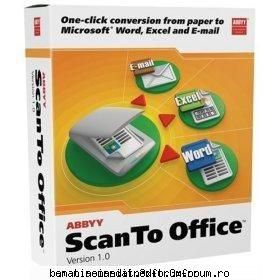
ABBYY ScanTo Office v1.0
ABBYY ScanTo Office is an efficient scan conversion utility.
It scans paper and reproduces documents into editable and searchable Word or Excel files or lets you send them out as e-mail attachments. ScanTo Office is easy to use. You can run the program directly from Microsoft® Word, Excel, Outlook or Windows® Explorer, or simply run the ScanTo Office wizard, which leads you through the simple steps of scanning and converting.
ScanTo Office is an ideal tool for home users or small businesses that need to quickly scan paper so they can edit and reuse the information in seconds.
With a single mouse click, ABBYY ScanTo Office scans paper or converts your scanned images into Microsoft Office documents without the unwieldiness of launching a separate application. This convenient tool helps you quickly unlock and repurpose information from paper documents or image files into Microsoft applications while retaining the original looks and without having to retype or reformat. ABBYY ScanTo Office is: Efficient, Productive, Easy-to-use, Affordable.
Key features
* One-click conversion
* Easy-to-use wizard guides you through simple steps of scan conversion
* Seamless integration with Microsoft Office
o Scans and converts documents directly into Microsoft Word and Excel
o Scans and sends as e-mail attachment in one step
o Accessible from Windows Explorer
* Layout retained in output document
* Support for 37 conversion languages
* Automatic book scanning
One-click conversion
With a single click of a button you can perform multiple tasks at once with ABBYY ScanTo Office - scan a paper document, convert and open it in Microsoft Word, Excel, or send out as an e-mail attachment.
Easy-to-use wizard guides you through simple steps of scan conversion
ABBYY ScanTo Office allows you to run this utility by using a wizard-style interface that guides you through the simple steps of the conversion process from scanning or opening image, through adjusting conversion setting, to output.
Seamless integration with Microsoft Office
ScanTo Office is seamlessly integrated into Microsoft Office applications, such as Word, Excel, and Outlook, and allows you to convert images directly from within these applications; as a result, you can start working on the documents directly from the end application.
Scans and converts documents directly into Microsoft Word and Excel
ABBYY ScanTo Office adds a plug-in button into Word and Excel. You can click a button to scan, convert and edit the document without leaving these applications. The converted results can be opened as a new file or inserted to the Word and Excel document that is currently open.
Scans and sends as e-mail attachment in one step
ABBYY ScanTo Office adds an icon on Outlook’s desktop. You can simply click a button to scan a document and instantly send it out as an e-mail attachment. You will never have to go through the process of launch a separate application, save the scanning result and then go back to Outlook and try to locate the file for attachment.
Accessible from Windows Explorer
With a single right-mouse click, ScanTo Office converts your existing image file into an editable and searchable document and sends it directly to necessary applications or exports it to any supported output format or application.
Layout retained in output document
ABBYY ScanTo Office converts your paper documents or scanned images to editable Microsoft Word or Excel files with the look and feel of the original document. No need to retype or reformat your information.
Support for 37 conversion languages
ABBYY ScanTo Office supports 37 languages, including English, German, French, Dutch, Italian, Spanish, Polish, Czech, Hungarian, Russian, and more. It also reads bi-lingual documents by selecting a secondary language.
Automatic book scanning
You can scan opposing pages of a book at the same time. You simply place the book face-down on a scanner, check the Split-page option, and then ScanTo Office will automatically scans both sides at the same time and splits image into two pages.
pass:
25.02.2008
18KB
22.02.2008
3.2KB
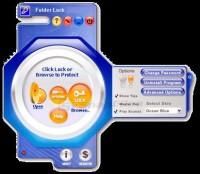
Folder Lock 5.8.0
... _5.8.0.rar
pass:
21.02.2008
8KB
Wassabi - Si m-am indragostit de tine (radio edit)
Conect-R feat. Alex - Daca dragostea dispare
Diana - Mi-ai frant inima
Dj Rhino feat. Sylvia - Feel (radio edit)
Akcent - Let's talk about it
Activ - Without you (radio edit)
Crush & Alexanda - Inima mea
Keo - In ochii tai (radio edit)
Anda Adam - Ochii mei (radio edit 2007)
Mandinga feat. Connect-R - Doar tu (radio mix)
Fly Project - Tasha (live show)
Alex - Doamna mea
Play & Win - In the summertime
Moni-K - In lumea mea
25.02.2008
8.8KB
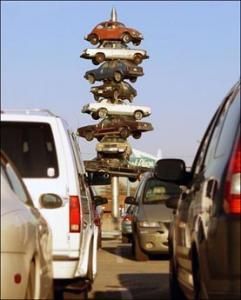
La nevoie, poate fi lansat in urmarirea avionului inamic.
05.03.2008
26KB
Ori pescuieste, ori a dat cineva de gheata cu ea:)
22.02.2008
17KB
Complete ESET NOD32 software latest updates.
It includes Antivirus and Smart Security both home and business editions,
all cracks, patched and serial keys are included.
Contents:
NOD32 Virus Scan Home Edition
NOD32 Smart Security Home Edition
NOD32 Virus Scan Business Edition
NOD32 Smart Security Business Edition
04.03.2008
45.8KB
An intelligent and easy-to-use OCR (Optical Character Recognition) and PDF conversion software
ABBYY FineReader Professional Edition is an ideal optical character recognition (OCR) software for those who demand the highest level of recognition accuracy and format retention.
An excellent time-saving solution, FineReader allows you to convert and edit a variety of paper and electronic files, including magazines, newspapers, books, faxes, copies, and PDF files.
Here are some key features of "ABBYY FineReader OCR Professional":
Recognition and Accuracy
· Superior Recognition Accuracy
ABBYY FineReader 9.0 delivers highest recognition accuracy and layout retention, even on difficult-to-read and low-quality images such as faxes and digital photographs. The program allows uses to convert scanned images, digital photos and PDFs into editable and searchable electronic documents with literally no retyping and reformatting. In the 9.0 version, the overall accuracy has been increased by as much as 35 percent*, especially on documents containing tables, legal documents, multilingual documents, and images from digital cameras.
· Multilingual Recognition
ABBYY continues to lead in the OCR language support. With ABBYY FineReader, users can process documents in 179 languages including Armenian, Cyrillic, Greek, and Latin. FineReader also recognizes scripting languages and simple chemical formulas. The software includes dictionaries with spell-checking capabilities for 36 languages allowing verification of recognized text directly in the FineReader Editor.
· Automatic Language Detection
FineReader cuts an additional step in the OCR process by automatically detecting the appropriate document recognition language.
· Text within Graphics
FineReader allows users to manually draw text areas inside the graphics areas of document images. This feature is useful when users want to output documents that contain graphics, charts and screenshots into searchable PDFs. This way, FineReader uses the text zoning to create underlying text for search-ability.
· Processing Documents with Signatures, Company Stamps, and Line Numbering
FineReader 9.0 automatically identifies the specialized elements and formatting found typically in legal documents. For example, the program automatically locates and preserves signatures or company stamps in contracts and recognizes and reproduces line numbers in pleading documents.
· Fast Mode Recognition
When processing good quality images with simple layout, a user can use the Fast Mode Recognition option to increase recognition speed up to 2.5 times*.
· Intelligent Background Filtering
FineReader’s background filtering system employs dynamic threshold technology to automatically adjust contrast when converting grayscale and color document images to black and white prior to OCR recognition. This feature optimizes recognition even when processing low-contrast images and documents.
· Vertical, Colored and Inverted Text Recognition
ABBYY FineReader is the only OCR application that reads vertical text. It recognizes text that is colored or inverted and retains those attributes in the output document.
· Barcode Recognition
ABBYY FineReader reads both 1-D and 2-D barcodes. It also offers the option to treat barcodes as images (default) or recognize a barcode and display its value. User can change the defoult setting to allow FineReader automatically analyze and recognize barcodes.
· Special Recognition Mode for Dot Matrix and Type-written Documents
With its special mode for recognizing dot-matrix print and type-written documents, ABBYY FineReader is useful if a user need to convert legacy documents. The program allows you to specify document’s “print type” and applies that type to the entire document, selected blocks, or table cells for best recognition result.
Custom Dictionaries:
· Integrated Microsoft Word Custom Dictionary
ABBYY FineReader enables users to create their own customized word list for processing industry specific texts or professional documents.
· Creation of Morphological User Dictionaries
FineReader allows users to add words and create custom dictionaries. When adding new words, FineReader will prompt them to enter additional word forms that stem from the same root.
Format Retention/Editability
Key Technology Breakthrough: Adaptive Document Recognition Technology (ADRT)
ABBYY’s ADRT, the newest Adaptive Document Recognition Technology, treats an entire document as a single entity, rather than the more error prone and time consuming method used by previous generations of OCR technology which process each page individually. With ADRT, ABBYY FineReader recognizes not just the text and basic layout, but the logical structure of a document across multiple pages producing an improvement in layout retention by up to 32 percent*. ABBYY's ADRT provides:
· Re-creation of Document Logical Structure and Formatting
ADRT makes converting paper documents, images and PDF files to the Microsoft Word format more accurate than ever. The program, by intelligently “seeing” the document in its entirety, identifies various parts of document structure such as heading, body text, columns, tables, graphics, and page numbers. After the processing, documents contain accurately digitized text, while retaining the document’s logical structure, layout and formatting.
· FineReader produces output documents in native Microsoft Office formatting elements that are easy to edit and change. It can determine how certain formatting elements should be treated when sending to Microsoft Word and Microsoft Excel. As a result, the headers and footers, page numbering, footnotes, fonts and styles of the original are retained.
· Text Flow Consistency
With ADRT, ABBYY FineReader maintains even the most complex layouts, whether single or multi-column. By detecting document formatting elements and reconstructing them as native Microsoft Office formatting elements, the software provides truly editable documents with consistent text flow between pages and columns.
· Retention of Fonts and Font Styles
ADRT enables FineReader to re-create font styles of the original document. By analyzing the whole document with all its pages at once, FineReader gathers information about the font styles of the original document and then accurately re-creates them.
· Saves Non-Rectangular Pictures and Text Flow in Microsoft Word
FineReader recognizes non-rectangular pictures and text flow around pictures, preserving
the original document layout in Microsoft Word.
The software maintains even the most complex layouts, whether single or multi-column.
· Retains Table Structure
FineReader accurately recognizes and recreates true Word- or Excel-generated tables and spreadsheets including multi-page tables. As a result, tables created by FineReader are fully editable within Word or Excel.
· Pictures within Table Cells
Many magazine articles include tables that use icons or graphics in the header row/column. With ABBYY FineReader, converting these types of tables is easy - the program accurately preserves their original look.
· Retains Bullets and Numbering
With the new ADRT, FineReader recognizes and reconstructs bullets and numbered lists with original styles and logic (as native Microsoft Word elements).
Results-Driven Interface — Less Clicks, Greater Efficiency
The FineReader's Results-Driven interface simplifies and shortens the recognition process and automatically highlights the best strategies for optimizing OCR results. The new interface reduces the number of mouse clicks needed for popular document conversion tasks by as much as 40 percent*. In FineReader 9.0, key functions are more easily accessible at the “top-level” with less need to search through detailed “drop down menus.” Key functionality is grouped together in special dialog boxes to make it easier to perform key tasks.
· QuickTasks
ABBYY FineReader 9.0 interface comes with pre-programmed QuickTasks for the most common document processing routines such as “Scan to PDF”, “Scan to Microsoft Word”, or “Convert PDF/ Images to Microsoft Word”. The FineReader’s new QuickTasks window automatically appears once the program is launched. QuickTasks can also be launched directly from the Window’s Start menu. Users can also create customized QuickTasks by using the Automation Manager.
· One-click Access within Microsoft Office
FineReader seamlessly integrates with Microsoft Office applications. From Microsoft Word, Excel and Microsoft Outlook, users can easily open, process and import images directly into their applications.
· Right-Click Access from Windows Explorer
From Windows Explorer, users can use the right mouse button to select images or PDF files to convert (and send results directly to application, or save as documents).
· QuickPreview window makes it easier to select the pages or documents a user needs when opening files to be processed. Users now have a visual preview of documents before opening.
· QuickTips
FineReader 9.0 offers intelligent and interactive tips to guide users toward improving results throughout the OCR process. Not only will FineReader identify areas in which accuracy can be enhanced, but it offers “actionable buttons” such as “re-scan” that lets users quickly take correction measures.
· Enhanced Text Editor
A newly enhanced Text Editor allows for easy review while the enhanced editing toolbar supports quick font and font style adjustments and adds additional editing capabilities Users can preview in real time and then choose from four output preferences (exact copy, editable copy, formatted text and plain text).
· Easy Image Enhancements
All image pre-processing functions, such as Rotate, Deskew, Crop, and Invert Image, can be quickly accessed from a single “Edit Image” window. Users can easily apply changes made to a single image page to all pages of a document with one click.
Ease-of-Use and Productivity
· Automatic Recognition and Background Processing
FineReader 9.0 automatically performs OCR as soon as the document is scanned in or opened (without the need for users to click “Read”). The default background processing allows users to start working on the first recognized pages while FineReader continues processing. (Power users have the option to turn this function off.)
· Optimized Performance on Multi-core Processors
Intelligent algorithms effectively divides document processing steps for parallel execution for 1.6 times* faster processing on systems with dual core processors such as Intel and AMD and 3.2 times* faster on systems using quad-core technology (based on internal ABBYY testing).
· ABBYY Screenshot Reader
This simple utility captures screen shots and the text they contain. It allows users to conveniently and quickly pull text, tables, or images from Windows Explorer file menus, error messages, Web browser pages, or Flash presentations.
· Sending Results Directly to Applications and Clipboard
FineReader allows users to send recognition results directly to applications with one click of a button without having to save the files first including Microsoft Word, Microsoft Excel, Microsoft PowerPoint, and Adobe Acrobat/Reader. FineReader also supports export to e-mail applications, Web browsers and Clipboard.
· Microsoft Windows Vista Certified, Support for Windows XP 64-bit Edition
ABBYY FineReader 9.0 is certified for previous as well as latest versions of the Microsoft Windows operating system.
· Microsoft Office 2007 Support
FineReader 9.0 supports new DOCX and XLSX saving formats using compression and based on the XML language for small file sizes and more secure documents that can be easily accessed by a variety of information systems.
· XPS Support
FineReader 9.0 supports input of images in XPS (XML Paper Specification), a new format for archiving and storage purposes developed by Microsoft. Full list of the supported input and output formats is available here.
· Printing Directly from FineReader
This shortcut enables users to quickly make minor changes using FineReader’s text editor and print without having to first export the OCR results to another application.
· Changing Interface Language On-the-Fly
Multi-lingual users can change FineReader’s interface language on-the-fly.
· Automation Manager
Along with pre-defined QuickTasks, FineReader offers a special tool for creating your own custom automated tasks.
· Output to Database
FineReader supports output to DBF and CSV.
· Full-text Search
ABBYY FineReader provides a tool for searching words or phrases in documents. Open a document in FineReader, launch the search function and get the required information without the need to first save the recognized document to an external application.
Digital Camera OCR
ABBYY FineReader 9.0 incorporates second-generation Digital Camera OCR technology. Not only does FineReader 9.0 automatically identify an image taken with a camera, but it applies necessary image pre-processing and recognition operations with a single step process:
· Convert Photo to Microsoft Word
The new FineReader interface offers a special option (QuickTask) to get quick and accurate results processing images captured by a digital camera.
· Enhanced Image Processing
The program also offers enhanced image processing for digital photo images including better line straightening, image distortion correction, and automatic resolution calculation and correction. FineReader detects the page printese in photographs of book or magazine pages and automatically straightens lines on the image to boost accuracy.
PDF Creation and Conversion
· Creation of searchable PDF files
ABBYY FineReader converts scanned images and PDFs to searchble PDF files keeping the text information as a separate layer from the image (text under image) and making it available for search and retrieval purposes.
· PDF/A Output
ABBYY FineReader 9.0 supports output to PDF/A, an archiving format recommended as a standard for long-term preservation of documents.
· PDF Security Settings and Encryption Support
To protect valuable data, a user can set document Open and Permissions passwords and restrict printing, contents extraction, editing, adding comments or adding/removing pages. ABBYY FineReader supports various encryption levels including 128-bit encryption.
· Creation of Tagged PDF
Tagged PDF are optimized for handheld and screen-reader devices. In this format, the text is automatically reformatted and “reflows” to the current screen size.
· Creation of Accessible PDF Files
Making documents accessible for people with visual impairments, ABBYY FineReader allows creation of accessible PDF files.
· Linearized PDF
All PDF documents created by FineReader are in linearized PDF format optimized for web publishing.
· Extraction of Document Properties
ABBYY FineReader can extract the following type of metadata: title, subject, author, and key words from PDF files. A user can edit this information in FineReader prior to saving or can change it later. This data can also be transferred to a similar location when outputting to DOC/DOCX, RTF, XLS/XLSX, HTML, and PDF formats.
· Detection of Internal Links and Hyperlinks in PDF
ABBYY FineReader captures and re-creates internal links and hyperlinks in PDF files. Users can easily edit, remove the detected hyperlinks or create new ones directly in the FineReader text editor.
· Editing PDF files
ABBYY FineReader makes it easy to perform minor editing of a PDF file. Just open it, make necessary changes directly in FineReader text editor and save back into any type of PDF format supported by FineReader.
Networking Features in Corporate Edition and Site License Edition
· Network Installation
FineReader Corporate and Site License Editions allow administrators to remotely install the software from the server onto workstations using Active Directory, Microsoft Systems Management Server or the command line.
· Concurrent Licensing (Available in Corporate Edition only)
The utility for managing licenses in a network environment allows the administrator to monitor the use of ABBYY FineReader Corporate Edition on workstations, assign licenses to particular workstations, and add new licenses. In addition, with concurrent licensing, users can install FineReader on as many workstations as necessary. The FineReader’s License Manager enables monitoring of concurrent licenses in use.
· Distributed Document Processing
Businesses with multiple licenses and multiple workstations can share OCR processes allowing multiple users on a network to scan, recognize, and proofread the same batch of documents simultaneously - essentially creating an OCR production line.
· Support for Network Multifunction Peripherals
Ideal for work groups sharing MFPs and digital copiers, ABBYY FineReader Corporate and Site License Editions allow administrators to connect the software with networked scanning devices using hot folders or command lines to automatically process incoming images.
· Hot Folder and Scheduling
FineReader offers fully automated batch processing of images for work groups using networked scanning devices like digital copiers or fax servers. The Hot Folder & Scheduling function allows users to designate a folder location on a local drive, network drive or FTP server to be monitored or "watched" by FineReader. FineReader will automatically process files background using the pre-defined settings. Users who need to process large volumes of documents during off hours can use the scheduler function to define the processing task and processing time. For example, a company may wish to schedule processing for large volumes of documents during after-office hours when the computer is not overloaded by other tasks.
· Mailbox Watching
FineReader Corporate and Site License Editions allow users to monitor input folders or schedule OCR processing with the new Mailbox Watching function. The program automatically recognizes attachments received by email, like those sent automatically by many multifunction printers (MFPs).
· Shared Languages and Dictionaries
ABBYY FineReader Corporate Edition allows multiple users to simultaneously access the same set of user languages and dictionaries available on the network. In addition, Corporate Edition enables users to add words like names, acronyms, and industry lingo to shared dictionaries. The added words help expand the spell check capabilities and also increase the recognition quality, since FineReader uses the dictionaries during the OCR process.
Requirements:
· PC with 1GHz processor or higher
· 512 MB of RAM, plus 512 MB of RAM for each additional processor core
· 250 MB of hard-disk space for typical installation and 512 MB of hard-disk space for program operation
· TWAIN or WIA-compliant scanner, digital camera or fax-modem (optional)
· XGA (1024x768) or higher-resolution video adapter and monitor
· Keyboard, mouse or other windows-compatible pointing device
What's New in This Release:
· Based on a breakthrough new recognition platform with Adaptive Document Recognition Technology (ADRT), ABBYY FineReader 9.0 is intelligent enough to automatically deliver editable files in native document formatting.
· It has been also enhanced with second-generation Digital Camera OCR, and offers enhanced task-driven processing, new output formats, and support for Microsoft Windows Vista and Microsoft Office 2007.
· In addition, FineReader 9.0 improves recognition accuracy by up to 35 percent* and layout retention by 32 percent* compared to the previous generation of the software.
· The new version also focuses on superior usability. The all-new Results-Driven user interface maximizes usability and efficiency through straightforward user guidance, anticipation of a user’s logical next step, and a 40 percent* reduction in the number of required mouse clicks to accomplish a task....
Code:
28.02.2008
39.4KB
Ancuta Anghel - Petrecere la Moroseni Vol.3 (Exlusiv 2007)
1. Ana Maria Tomoiaga - Am noroc ca stiu hori
2. Ana Maria Tomoiaga - Arda-te focu de dor
3. Ana Maria Tomoiaga - Cu acela imi fac voia
4. Ana Maria Tomoiaga - Uieguta si paharu
5. Ancuta Anghel - Astazi nu ma-ncred in nime
6. Ancuta Anghel - Baut-am si oi mai bea
7. Ancuta Anghel - Pana-s fata la mama
8. Ancuta Anghel - Zi ceteras de baut
9. Ionela Ardelean - Cetera cu patru strune
10. Ionela Ardelean - Suparata-s p-oarecine
11. Ionela ft. Mariuca Ardelean - Am zinit sa va horim
12. Mariuca Ardelean - Cine-o fost de cand ii lumea
13. Mariuca Ardelean - Nu stiu drept-ui ori nu-i drept
14. Viorica Tomoiaga - Codrule cu frunza rara
15. Viorica Tomoiaga - Stiu ca nu-s dipa Iza
(Exlusiv+2007).html
20.02.2011
22.8KB
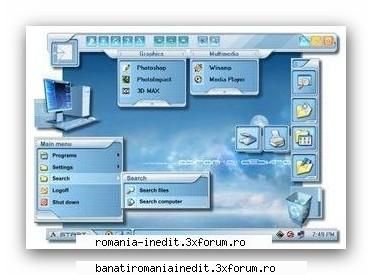
Aston is a new Desktop and Shell replacement for Windows 9X/ME/NT/2K/XP. It replaces the standard Windows Desktop and provides you with a host of new features, such as Sidebars, clock, weather monitor, animated buttons, transparency effects and much more. Aston also supports Themes, which allow you to change its appearance and functionality according to your mood and needs. No matter what visual style you like: XP, Aqua or something else; you can always download hundreds of Themes, created by professional designers or amateurs from Aston’s homepage or one of numerous other skin sites. Aston features a powerful and user friendly interface, which lets you change your new desktop’s appearance and behavior in few seconds. No need to learn complicated configuration files, everything can be configured in a simple graphical interface. A great balance between performance and appearance allows you to launch Aston even on out of the date PCs or its enjoy many advanced features on more modern computers. Aston is very stable and has a small memory footprint and low CPU usage, so you can free your processor time for other tasks.
Pass:
25.02.2008
21KB
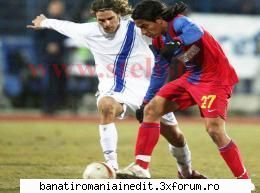
Oficialul stelist s-a declarat multumit de prestatia jucatorului columbian Dayro Moreno, introdus de Lacatus abia in minutul 63 al partidei de la Iasi.
"Cand a intrat Dayro, s-a inviorat jocul. Am vazut combinatii, am vazut fotbal. Eu nu am fost sa-i vad pe jucatori in pregatiri, daca mergeam, poate ma consultam cu Marius, dar asa, nu m-am implicat deloc. Daca nu ma implic, se alege praful, m-ati inteles?", a spus Becali la "Fanatik".
25.02.2008
13KB
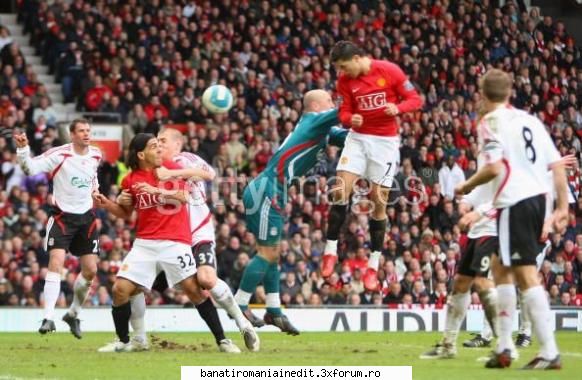
In primul derby din Grand Slam Sunday, Manchester si-a terminat adversara. A cistigat cu 3-0 si a ratat o multime de alte ocazii. De patru ori au fost “diavolii” singuri cu portarul (Rooney si Ronaldo, cite doua ratari), iar Cristiano a mai avut o bara. In minutul 35, Reina a iesit aiurea la o centrare, Brown a lovit mingea cu spatele si 1-0.
Apoi, chiar inainte de pauza, Mascherano a protestat, desi primise deja un cartonas, a mai luat un “galben” si a fost eliminat. In “zece”, oaspetii au cedat. Spre sfirsit, in doua minute, 79-80, Ronaldo, al 34-lea gol in acest sezon (foto), si Nani au facut 3-0.
23.03.2008
57KB
Deşi Kobe Bryant a reuşit doar 21 de puncte, Los Angeles Lakers s-a impus la pas în deplasarea de la Seattle Supersonics, 111-91.
Houston Rockets a ajuns la a 12-a victorie consecutivă după ce s-a impus cu 110-97 în meciul de acasă cu Chicago Bulls.
Dallas Mavericks s-a impus cu 99-83 la Minnesota Timberwolves după un meci în care gazdele au reuşit doar 12 puncte în ultimul sfert, Dirk Nowitzki a reuşit 29 de puncte şi opt recuperări, iar Jason Kidd a fost la numai trei recuperări de un nou meci complet, încheind cu 12 puncte, şapte recuperări şi 17 pase decisive.
Detroit Pistons a câştigat fără drept de apel derbiul de la Phoenix Suns, 116-86, deşi gazdele i-au avut în teren pe Shaq O'Neal, şapte puncte şi 11 recuperări, şi, mai ales, pe Amara Stoudamire, 31 de puncte.
Cleveland Cavaliers a trecut cu 109-89 de Memphis Grizzlies după un meci în care Le Bron James a reuşit 25 de puncte, şapte recuperări şi 11 pase decisive.
Boston Celtics s-a impus cu 112-102 la Portland Trail Blazers după un meci în care Paul Pierce a reuşit 30 de puncte, şapte recuperări şi cinci pase decisive, iar jucătorii celor două formaţii au reuşit împreună nu mai puţin de 26 de coşuri de la distanţă.
În celelalte meciuri din NBA, Toronto Raptors a trecut cu 115-92 de New York Knicks, iar Orlando Magic a trecut cu 112-93 de Sacramento Kings.
25.02.2008
4.9KB
Prison Break Season 3 + RO Sub
Contine 3 DVD-uri care la randul lor contin cate 4 episoade din sezonul 3.
Prison Break S3 DVD1 PAL DVDR + RO Sub
MOViEYEAR..: 2007
Img Size...: 4.35 gb
IMDB Rating: 9.1/10 (33,601 votes)
RELDATE.:..: 17 September 2007
PLAYTIME. .: approx 4*42 MIN
SOURCE RLS.: HDTV thanks to TEAFORTWO
GENRE......: Adventure / Crime / Drama / Thriller
IMDB.......:
MORE INFO.:
AUDIO: Dolby Digital 5.1 English
SUBTITLES: Romanian
VIDEO: PAL
Movie Info:
Breaking out was easy, getting away will be hard.
The Manhunt is on!
Escaping Prison was Just the Beginning, Escaping the Country is now the priority.
This dvd contains the following episodes:
1. Orientación
2. Fire/Water
3. Call Waiting
4. Good Fences
>>>>>>>>>>>>>>>>>>>>>>>>>>>>>>>>>>>>>>>>>>>>>>>>>>>>>>>>>>>>>>>>>>>>>>>>>>>>>>>>>>>>>>>>
Prison Break S3 DvD2 PAL DVDR RO + Sub
MOViEYEAR..: 2007
Img Size...: 4.35 gb
IMDB Rating: 9.1/10 (33,601 votes)
RELDATE.:..: 22 October 2007
PLAYTIME. .: approx 4*42 MIN
SOURCE RLS.: HDTV thanks to TEAFORTWO
GENRE......: Adventure / Crime / Drama / Thriller
IMDB.......:
MORE INFO.:
AUDIO-Dolby Digital 5.1
SUBTITLES: Romanian
MENU: Custom by Lerod
VIDEO: PAL
Movie Info:
Breaking out was easy, getting away will be hard.
The Manhunt is on!
Escaping Prison was Just the Beginning, Escaping the Country is now the priority
This dvd contains the following episodes:
5. Interference
6. Photo Finish
7. Vamonos
8. Bang and Burn
>>>>>>>>>>>>>>>>>>>>>>>>>>>>>>>>>>>>>>>>>>>>>>>>>>>>>>>>>>>>>>>>>>>>>>>>>>>>>>>>>>>>>>>>
Prison Break S3 DVD3 PAL DVDR RO + Sub
MOViEYEAR..: 2008
Img Size...: 4.35 gb
IMDB Rating: 9.1/10 (33,601 votes)
RELDATE.:..: 14 January 2008
PLAYTIME. .: approx 4*42 MIN
SOURCE RLS.: HDTV thanks to TEAFORTWO
GENRE......: Adventure / Crime / Drama / Thriller
IMDB.......:
MORE INFO.:
AUDIO: Dolby Digital 5.1 English
SUBTITLES: Romanian
MENU: Custom by Lerod
VIDEO: PAL
Movie Info:
Breaking out was easy, getting away will be hard.
The Manhunt is on!
Escaping Prison was Just the Beginning, Escaping the Country is now the priority.
This dvd contains the following episodes:
09. Boxed In
10. Dirt Nap
11. Under & Out
12. Hell or High Water
Download:
Password:
22.02.2008
40.5KB
printre care se afla si golul lui HAGI cel dat impotriva lui Monaco pe cind juca la Galatasaray
Download
29.02.2008
4.2KB
29.02.2008
41.1KB
Jennifer Lopez - Love (EXclusiv 2011)
1. Jennifer Lopez - Everybody’s Girl
2. Jennifer Lopez - Good Hit
3. Jennifer Lopez - Greatest Part of Me
4. Jennifer Lopez - Hooked on You
5. Jennifer Lopez - Louboutins
6. Jennifer Lopez - One Love
7. Jennifer Lopez - Starting Over
8. Jennifer Lopez - Story of My Life
9. Jennifer Lopez - Until it Beats No More (Live)
10. Jennifer Lopez - Villian
11. Jennifer Lopez - What is Love
12. Jennifer Lopez ft. PitBull - Fresh Out the Oven
13. Jennifer Lopez ft. PitBull - On the Floor (The Lambada Song)
14. Jennifer Lopez ft. The-Dream & Rick Ross - Run the World
(EXclusiv+2011).html
20.02.2011
67.9KB
29.02.2008
27KB
OGame este o calatorie intergalactica.
Incerpi prin a transforma o planeta neaparata intr-un imperiu puternic capabil de a apara coloniile obtineute cu greu
Creaza-ti o infrastructura econiomica si militara care sa te ajute la creearea unor tehnologii imresionante.
Porneste razboaie impotriva alotr imperii in timp ce te chinui sa strangi resurse.
Negociaza cu alti imparati si creeaza o alianta sau creeaza relatii comerciale pentru resurse.
Creeaza-ti o armada cu care sa te impui in univers
Strange-ti resursele in spatele unei aparari impenetrabile.
Orice doresti sa faci, OGame iti da posibilitatea.
Iti vei teroriza vecinii sau i vei apara pe cei neputinciosi?
02.05.2008
5.6KB
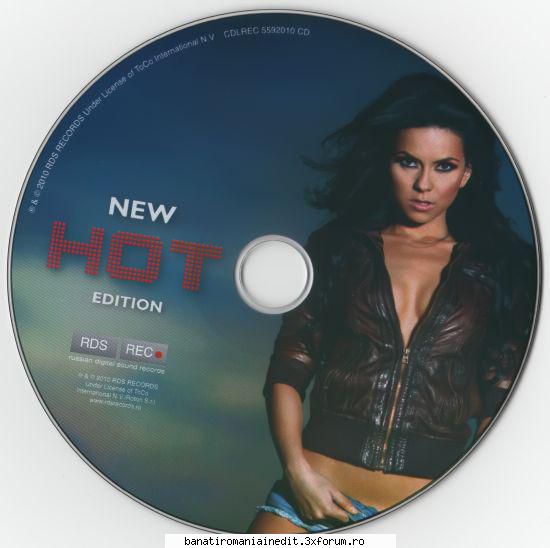
Inna - New Hot Edition
1. Inna - 10 Minutes
2. Inna - Amazing
3. Inna - Love (Dj. Andi remix)
4. Inna - Hot
5. Inna - 10 Minutes (Club Mix) (Bonus Track)
6. Inna - Days Nights
7. Inna - Don't Let The Music Die
8. Inna - Fever
9. Inna - I Need You For Christmas (Bonus Track)
10. Inna - July
11. Inna - Ladies
12. Inna - Left Right
13. Inna - On & On
14. Inna ft. Bob Taylor - Deja Vu (Wideboy Stadium Radio Edit)
20.02.2011
34KB
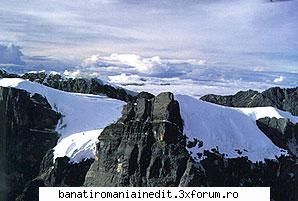
6. Australia & Oceania - Puncak Jaya (Indonezia), 4884 m, escaladat prima data in anul 1962
29.02.2008
17KB
21.02.2008
27.1KB
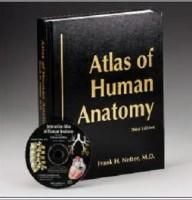
View and print over 900 anatomical illustrations from Frank Netter's Atlas of Human Anatomy CD Rom. Print in black and white or in color, with or without labels. Perfect for review and testing.
28.02.2008
7.6KB
:rotfl: :rotfl: :rotfl:
04.03.2008
29.7KB
Solid Converter PDF Pro 3.1
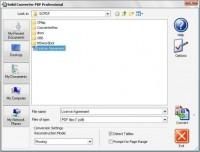
Convert, create, and extract PDF content with Solid Converter PDF Solid Converter PDF delivers unparalleled accuracy in the conversion and recovery of PDF (Portable Document Format) content. Simply open your PDF file in Word, then edit. Solid Converter recovers the text, layout and images of your original document at a fraction of the cost of Adobe® Acrobat®. In version 3 you can also extract text only, tables to Excel, or images to graphics files. Solid Converter PDF unlocks your PDF content and makes it useful.
... ro_3.1.rar
pass: